
Every 50 hours and every November, in one list

One counter per engine, a push reminder when anything falls due, and it all works without a signal. Set a job to repeat by hours, by date or both.

Free Everything on this page is free, for up to 3 boats.

Download on the App Store — Coming soon to the App StoreComing soon to the App Store Get it on Google Play
QRScan to download
See pricing
App screen S-03
Oil change · every 100 h 12 h left
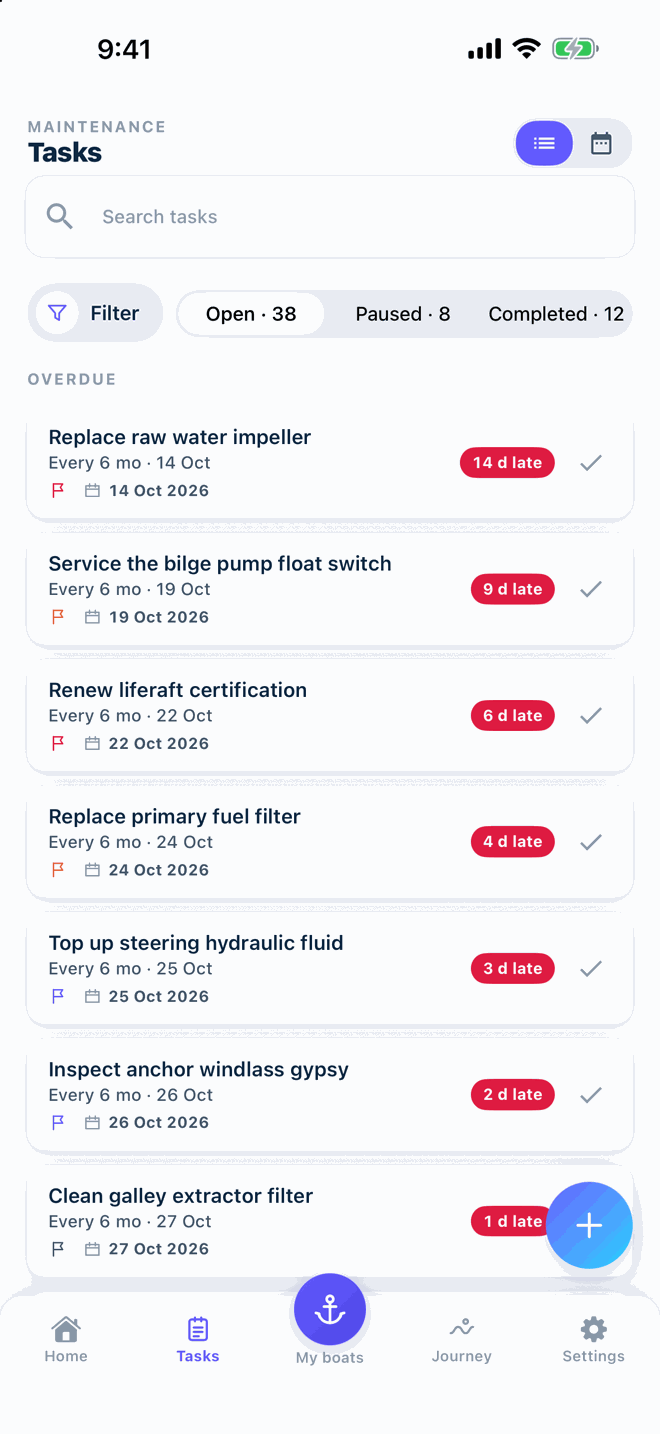
Replace raw water impeller · every 6 mo 14 d late

What the spreadsheet never did for you

A list that counts down from your engine hours, remembers every job and keeps the receipt next to it.

Enter the hours, the list does the rest

Free
  • Update after each trip

    Type the meter reading when you tie up. A few seconds, no automatic sensor needed.

  • One counter per engine

    Port, starboard, generator: each engine has its own hours and its own tasks.

  • Due by engine hours

    Enter hours once in a while; every hour-based task counts down from there.

App screen S-07
Screenshot coming · S-07

Repeat by hours, by date, or both

Free
  • Hour threshold

    Every 100 hours, every 250 hours: the task shows how many hours are left.

  • Due by date, or both

    Yearly, monthly or seasonal tasks sit in the same list as hour-based ones.

  • Priority, filters and calendar view

    Sort by what matters, filter by boat or engine, or flip the list into a calendar.

App screen S-04
Screenshot coming · S-04

A nudge on the lock screen, not a surprise at sea

Free
  • Push reminders

    A notification when the due date arrives or the hour threshold is reached.

  • All boats in one list

    Own more than one boat? Every task sits in the same list, sorted by what is due first.

  • Checklist attached to a task

    Link a checklist so the steps are right there when the job comes up.

App screen S-24
Screenshot coming · S-24
App screen S-24
Screenshot coming · S-24

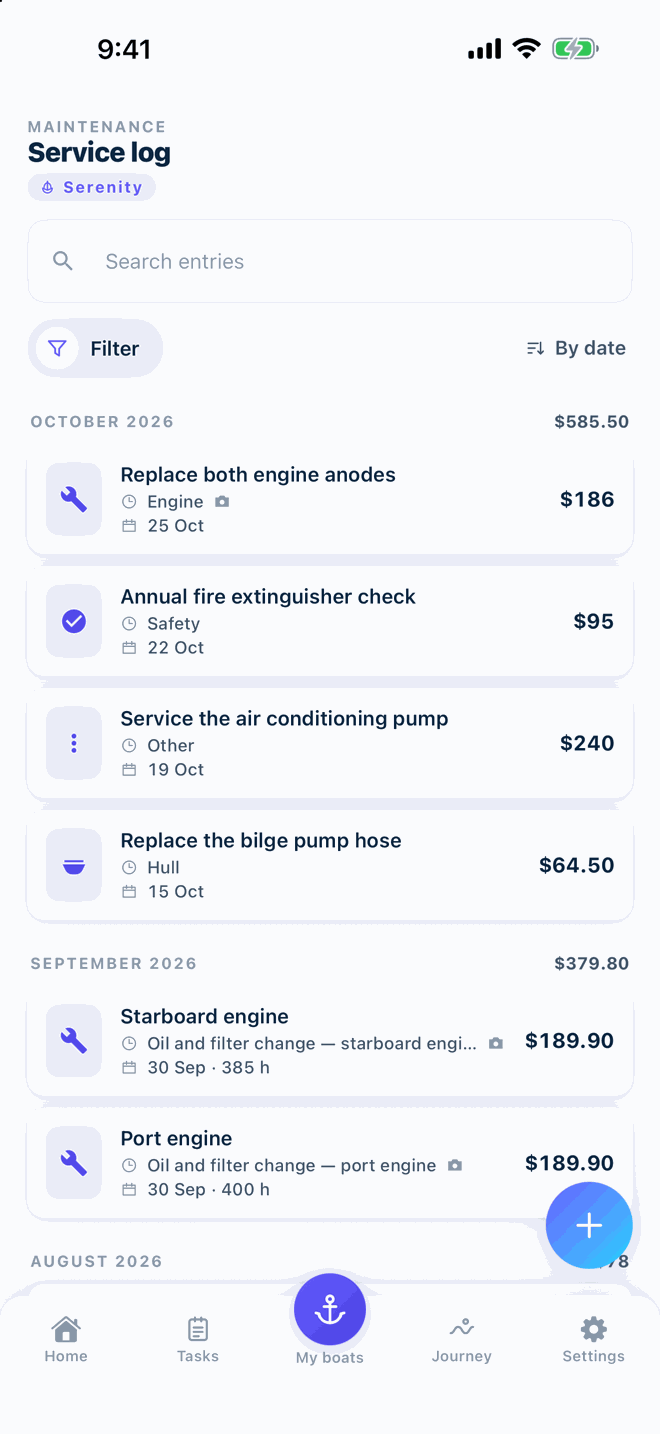
Every job stays on the boat's record

Free
  • Photos, receipts and cost on each record

    Attach the receipt photo and the amount when you log a job.

  • Search, filter and sort

    Find the last impeller change in seconds, by name, boat, engine or date.

  • Printable service history

    Export the full history as PDF or CSV whenever you like. Free, no plan needed.

App screen S-05
App screen S-06
Screenshot coming · S-06

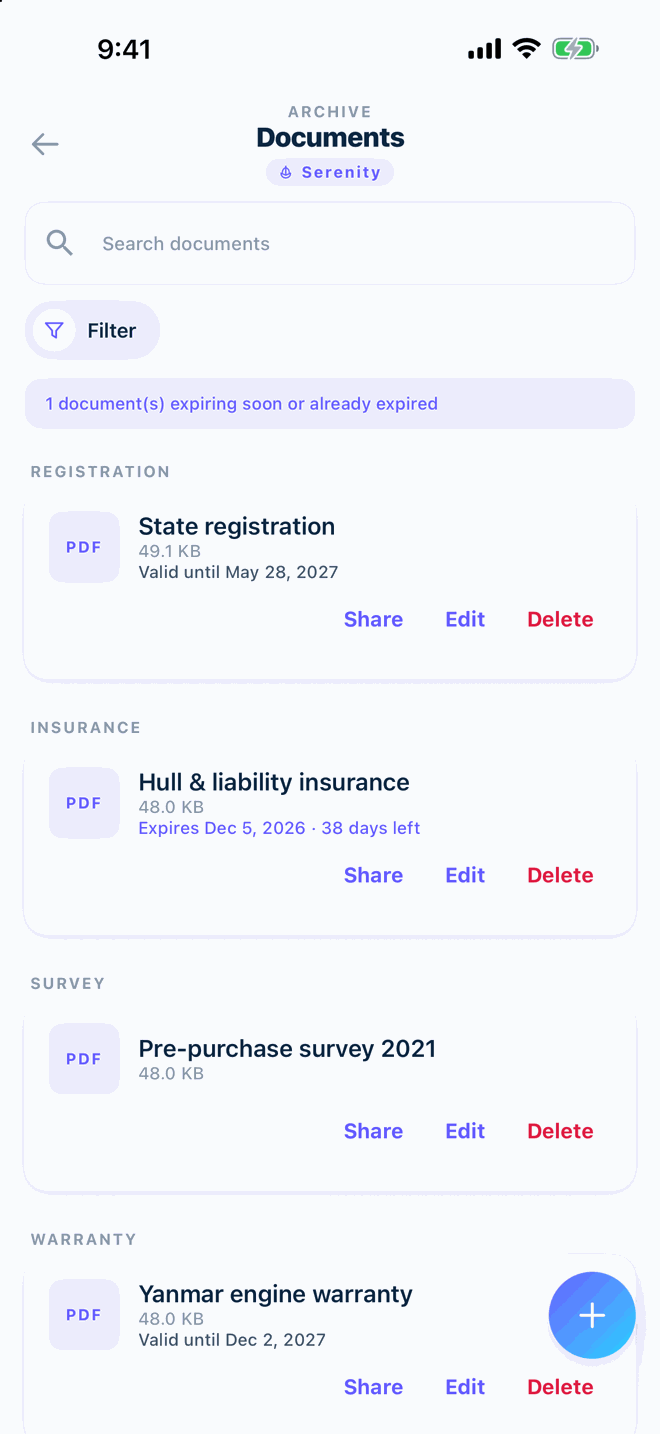
Papers and problems, kept with the boat

Free
  • Documents with expiry alerts

    Insurance, registration and manuals, with a warning before they expire.

  • Scan with the camera to PDF

    Insurance, registration, receipts: photograph the page and it is filed as a PDF.

  • Fault tickets

    Spot something on board, note it as a ticket. Turn the ticket into a task when you are ready.

App screen S-10
App screen S-26
Screenshot coming · S-26
Pro

With Pro: Boat CV and cloud backup

Turn the same history into a branded, photo-backed Boat CV PDF for buyers and surveyors, and back everything up automatically to your own cloud account.

From $29.99 per year

14-day free trial

See what Pro adds

Three steps, then it runs itself

  1. Add your boat and engine

    Name, model and the current hour reading. Takes a minute, no account needed.

  2. Enter hours after a trip

    Type the meter reading now and then. Every hour-based task counts down from it.

  3. Set a reminder

    Pick hours, a date or both. Vessly notifies you when it is due.

Read the engine-hours guide

The whole story of the boat, in one stream

Free

Services, voyages, documents and expenses on a single timeline. Scroll back to see what happened last season, or the season before.

App screen S-25
Screenshot coming · S-25

Questions about this

How do I enter engine hours?

Type the reading from your engine's hour meter into Vessly whenever you like, for example after a trip. Every hour-based task counts down from that number. There is no automatic reading from the engine.

Where is my data, and can I export it?

Your data lives on your phone. You can export a full backup file and PDF or CSV reports at any time, on the Free plan too. Pro adds automatic backup to your own cloud account.

Does it work offline?

Yes. Adding records, ticking checklists and reading your history all work without a signal. Only AI Mechanic and Fleet sync need a connection.

Do I need an account?

No. Install and start. An account is only needed for Fleet, where several people share boats and changes sync between phones.

All questions

Start with your boat today

Download on the App Store — Coming soon to the App StoreComing soon to the App Store Get it on Google Play
QRScan to download

Three boats free · works offline · no account needed